
Transly is a newly launched translation application designed to integrate real-time voice translation, two-way conversation, local video subtitles, and an iPhone translation keyboard into a single mobile product. According to the developer Vectorlightyear, Transly's unique selling point lies in its ability to switch flexibly between everyday workflows and support text/SRT export, positioning it distinctly in the market alongside competitors like Google Translate and Microsoft Translator.

Identifying Pain Points Across Features
Existing translation tools like Google Translate and Microsoft Translator, while powerful, still have some pain points in practical use. The emergence of Transly aims to address these issues by combining real-time voice translation, two-way conversation, and local video subtitles, allowing users to switch seamlessly across various daily workflows. The developers emphasize that Transly integrates real-time voice, two-way conversation, local video subtitles, and an iPhone translation keyboard into one mobile product, highlighting its capability to switch between different workflows and support text/SRT export. This positioning makes Transly a more comprehensive translation solution.
Comprehensive Integration of Features and User Experience
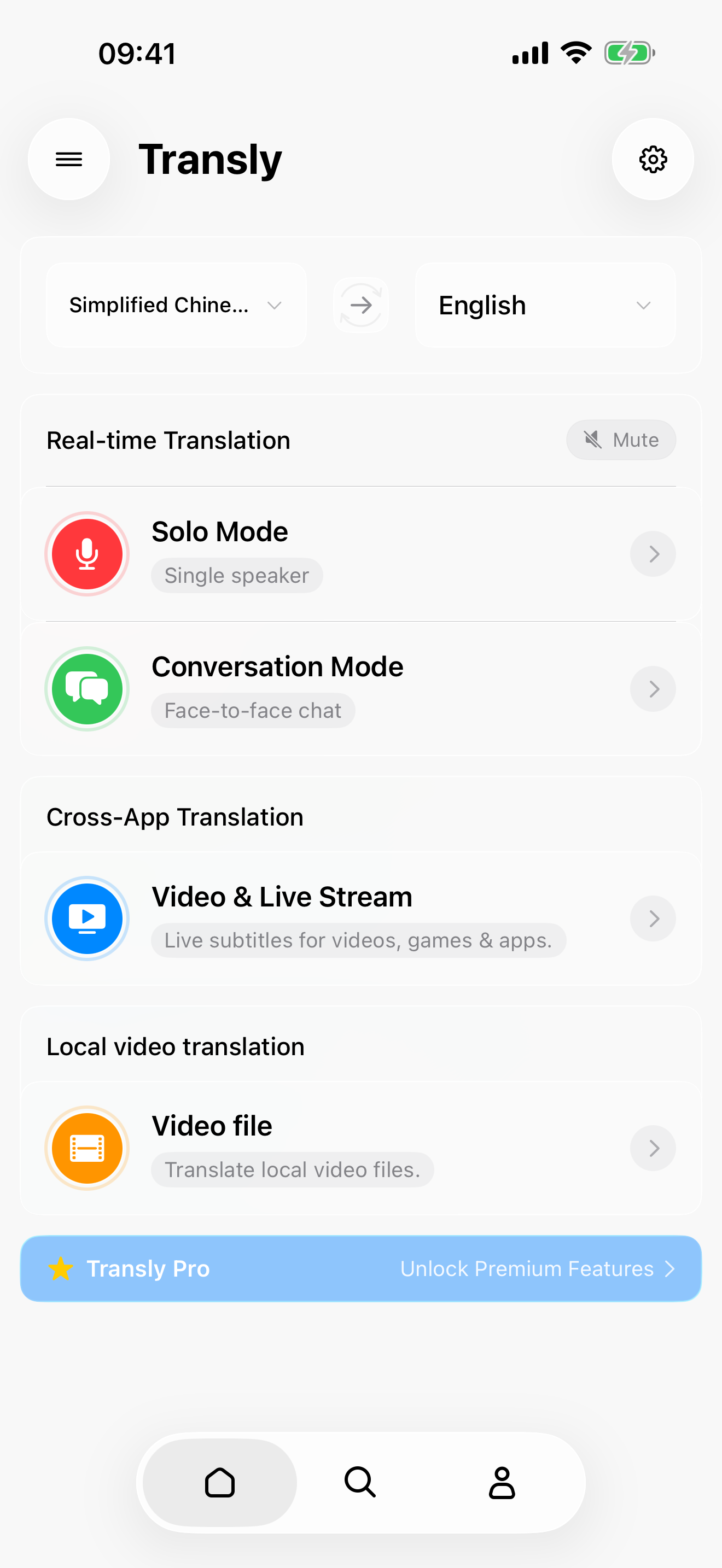
Transly's feature design aims to meet user needs in different language environments. Users can input information via voice and insert translated text into compatible applications, making this process simple and intuitive. Additionally, Transly supports displaying floating subtitles while watching videos, allowing users to better follow video content. Users can save supported translation records as text or SRT format for future use. The integration of these features makes Transly a multifunctional translation tool suitable for users who need to switch between spoken dialogue, video content, and written information.
Flexible Pricing Strategy
Transly adopts a freemium pricing model, allowing the application to be downloaded for free, with in-app purchase options available. Users can choose different paid features based on their needs, with specific usage limitations and pricing depending on the plans displayed within the app. This strategy enables users to select flexibly according to their requirements, lowering the barrier to use.
In-Depth Comparison with Competitors
In comparison with Google Translate and Microsoft Translator, Transly's design approach is more comprehensive. Transly's two-way conversation workflow supports face-to-face communication, and its local video translation feature helps users obtain bilingual subtitles while watching videos. Furthermore, Transly's iPhone translation keyboard feature allows users to directly insert translated text into compatible applications. These design differences enable Transly to present varied usage methods when handling diverse translation tasks.
Simple Onboarding Process
The process of using Transly is very straightforward, with the following steps:
1. Download Transly from the official App Store or Google Play.
2. Open the app and select the translation workflow and target language suitable for your task.
3. Grant the necessary permissions to support the selected voice or audio workflow, and ensure a network connection is available.
4. On iPhone, enable the translation keyboard to insert translated text into compatible applications.
5. If supported, save the translation records or export them as text or SRT.
Target User Group
Transly is designed for individuals who need to switch between spoken dialogue, video content, and written information. The developers note that Transly's design aims to meet the needs of these users in multilingual environments, thereby enhancing their communication efficiency.
Some users may find the application feature-rich; however, for those who only require occasional translation, some features may seem excessive.
Product Name: Transly
Supported Platforms: iOS / Android
Pricing: Freemium
TechRitual 企業科技編輯部(香港)。biz.techritual.com 的外語版本由繁體中文原文翻譯。
