

The founder of LibreDB Studio recalls the situation at the time, stating that they were tired of every developer storing production environment credentials on their individual desktop clients and having to use three different tools to run Postgres, Mongo, and Redis simultaneously. This moment became the starting point for their creation of LibreDB Studio. The tool was born not only to address internal collaboration issues within teams but also to simplify the database management process. To date, LibreDB Studio has garnered 469 GitHub stars and 85 forks, with 37 external contributors, 29 of whom have been active in the past 30 days. The product is now available on the markets of AWS, Azure, Google Cloud, and DigitalOcean, and is listed as a customer by the PostgreSQL project and redis.io.

Starting from Developer Needs
The developers of LibreDB Studio emphasize that they built this tool in a small company in Istanbul, initially driven by their own needs. They wanted to move the database client next to the data, rather than relying on each developer's personal device. This design philosophy allows the team to access the same database at the same URL without worrying about the security of credentials. The developers noted that they maintain an MIT license and will not hold back on the commercial version. They also stated that the measured data is published, rather than merely used for promotional purposes, and this transparency and honesty have earned LibreDB Studio a good reputation in the open-source community.
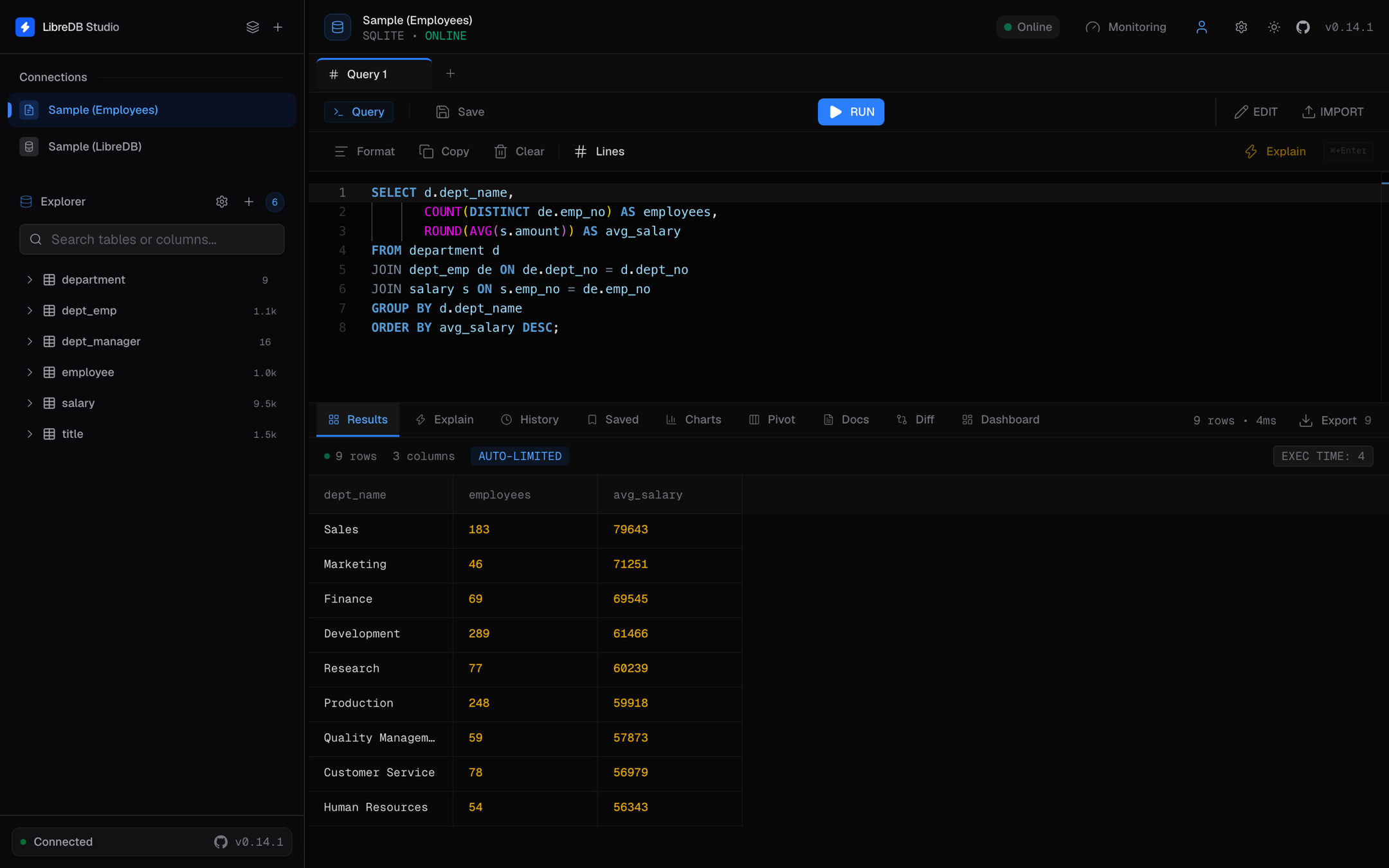
In-Depth Exploration of Features and Experience
LibreDB Studio is a self-hosted database client that users can install on their own servers and access via a browser. This tool is designed to address issues present in traditional database management, such as the need for each developer to install a desktop client and store credentials on their individual devices. With LibreDB Studio, developers only need to run a single container, allowing everyone to access it through the same URL, and data will not be sent to any external servers. This product supports up to 16 database drivers, including PostgreSQL, MySQL, Oracle, SQL Server, SQLite, DuckDB, MongoDB, Redis, and also has an additional 26 engines that can connect through these drivers.
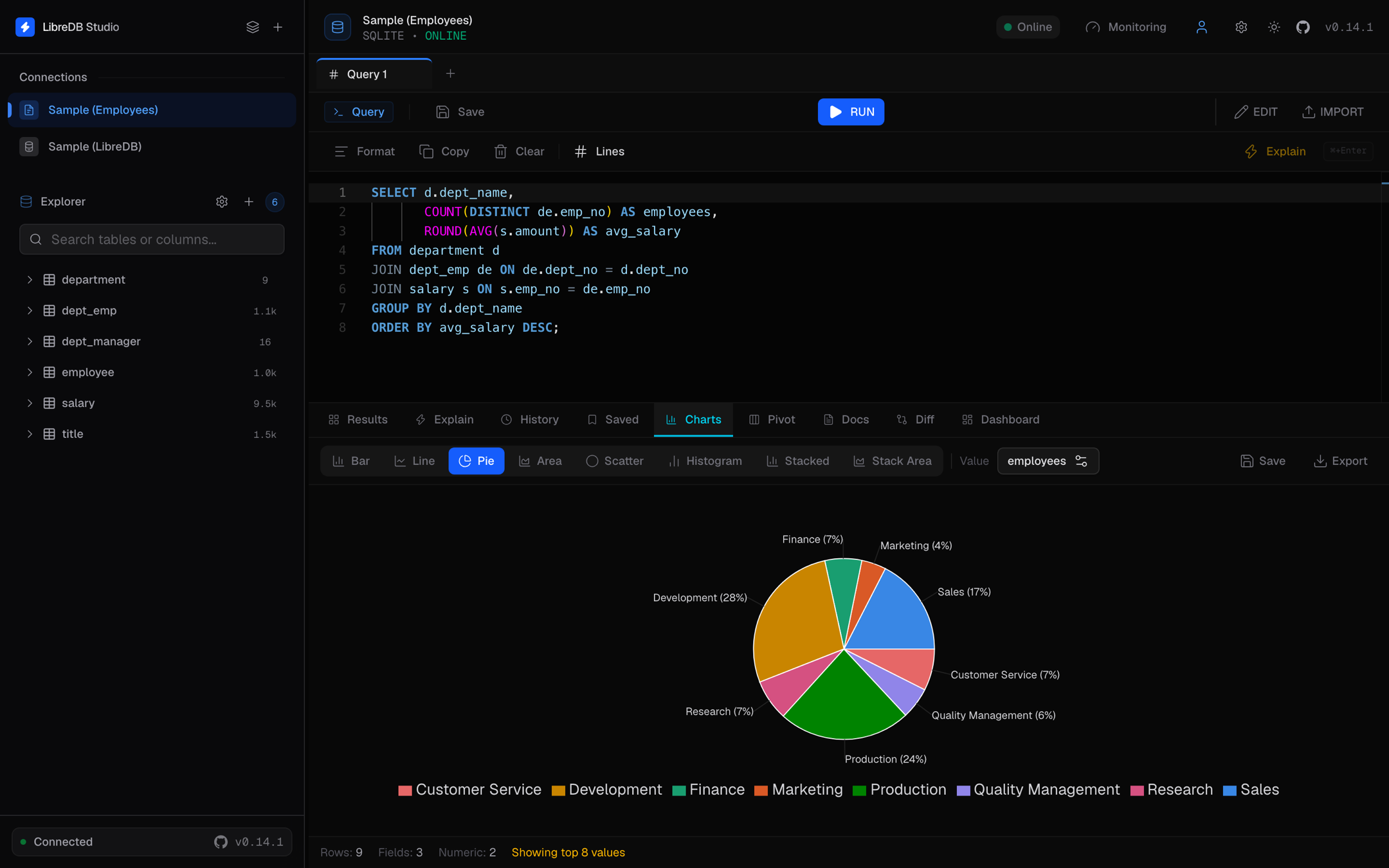
Pricing Strategy and Market Positioning
LibreDB Studio adopts an open-source pricing model, completely free of charge, and does not require any accounts or paid plans. This sharply contrasts it with competitors such as DBeaver, phpMyAdmin, Adminer, Navicat, and CloudBeaver in the market. Developers explain that DBeaver and Navicat are desktop applications, meaning connection details are stored on each individual's laptop. phpMyAdmin and Adminer are browser-based, but each only supports a single database series, forcing teams running Postgres, Mongo, and Redis to use three different tools. LibreDB Studio, on the other hand, provides a unified platform that allows users to manage multiple databases within the same interface.
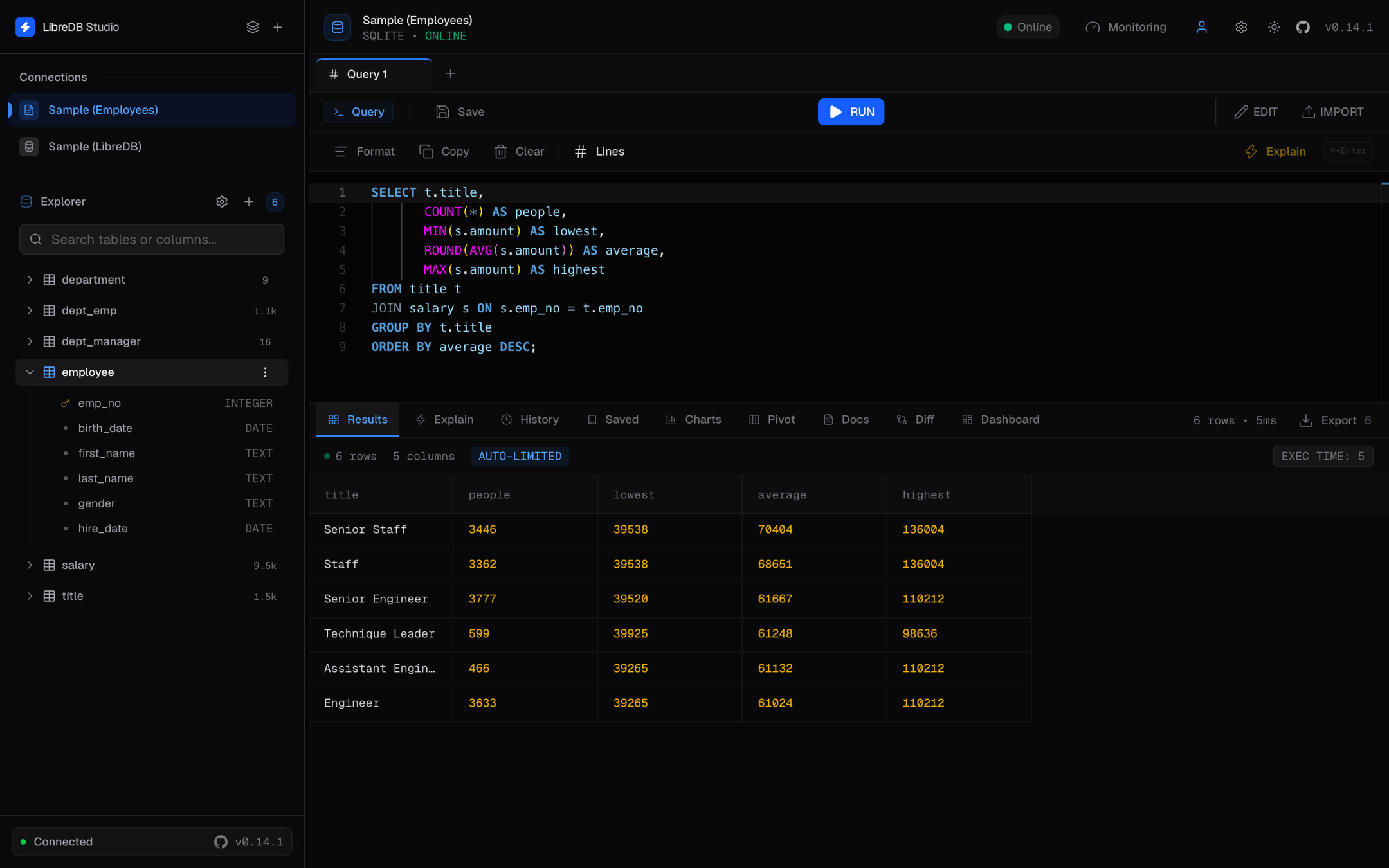
Simple Steps to Get Started
For users looking to get started with LibreDB Studio, here are the specific steps:
1. Run a container: Use the command docker run -p 3000:3000 -v libredb-data:/app/data libredb/libredb-studio, or use the Docker Compose file in the repository.
2. Open http://localhost:3000 in your browser and log in. Authentication is enabled by default, so the instance will not inadvertently expose your network.
3. Add a connection: select the engine, and paste the host, database, user, and password. Credentials are encrypted using AES-256-GCM when static.
4. Browse the schema, run queries, and edit rows in the grid.
5. For teams, place it behind a reverse proxy and enable OIDC single sign-on, then assign roles to personnel instead of sharing passwords.
6. Optional: Point it to a local Ollama instance to use the proxy without sending any data to the model provider.
Target User Group
The target users of LibreDB Studio include developers and enterprise users. Developers can leverage this tool to efficiently manage multiple databases in a local environment, while enterprise users can ensure data security through role-based access control. For example, a startup using PostgreSQL and MongoDB can utilize LibreDB Studio to manage all data on a single platform, avoiding the hassle of using multiple tools. Developers emphasize that the tool is designed to simplify database management processes, allowing users to focus on development rather than tedious database operations.
In the future, the team is preparing to further expand the capabilities of LibreDB Studio to benefit more users with this open-source tool.
Product Name: LibreDB Studio
Pricing: Free, open-source, no account required
TechRitual 企業科技編輯部(香港)。biz.techritual.com 的外語版本由繁體中文原文翻譯。
