
Nexus Shell is a native macOS SSH workspace designed specifically for Apple Silicon Macs, aimed at providing a complete solution for developers and server operators. The founder stated that he is an independent developer who created Nexus Shell because he wanted a macOS SSH client that he could use: native, visually calm, and comprehensive enough to handle daily server tasks without the need to chase after a multitude of features. As the application develops, feedback, bug fixes, and the workflows that people repeatedly use remain a priority.

Starting from a Developer's Needs
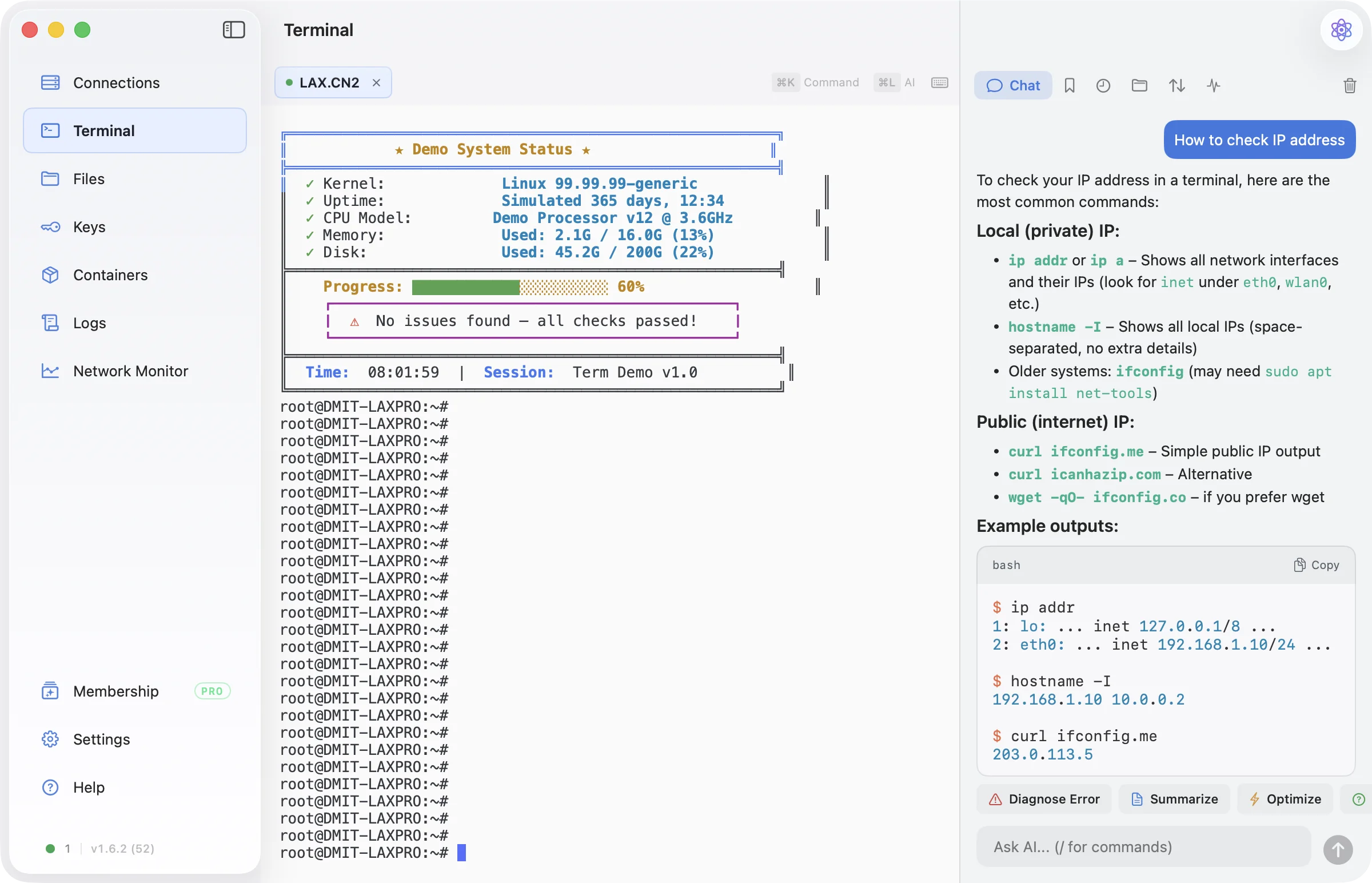
During the development of Nexus Shell, the founder deeply realized the shortcomings of existing SSH clients. He wanted to integrate multiple functions into one, allowing users to avoid switching between different tools. Nexus Shell is built for Apple Silicon macOS, utilizing a native SwiftUI interface, and integrates terminal, dual-pane SFTP, server and network monitoring, Docker tools, encrypted local session logs, and optional iCloud sync into a focused workflow. The developer emphasizes that the priority of this project is to provide a restrained Mac experience, rather than presenting all possible remote management features at once.
Functionality and Experience
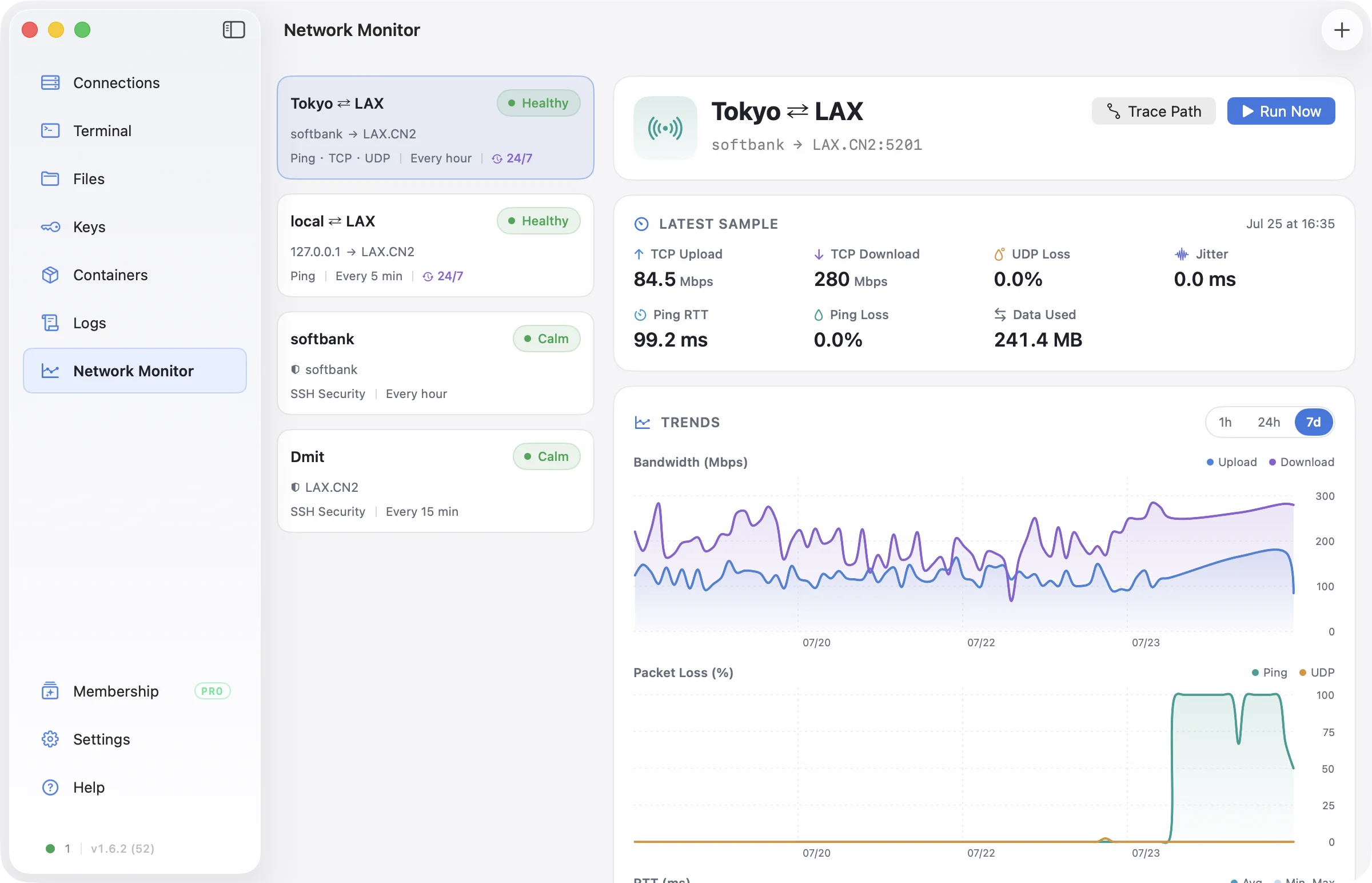
Nexus Shell offers multiple options to meet the needs of developers and server operators. It supports multiple tabs and split-screen views, allowing users to handle multiple tasks simultaneously. The dual-pane file manager displays local and remote directories side by side, making it easy for users to drag and drop or transfer files in bulk. The terminal sidebar can follow the current remote directory and display file transfer status. Additionally, the monitoring feature covers real-time CPU, memory, load, network I/O, and process data, providing long-term network quality checks such as latency, packet loss, jitter, routing comparisons, and threshold alerts.
Pricing Strategy
Nexus Shell adopts a freemium pricing model. Basic personal non-commercial SSH usage is free, and new user accounts can enjoy a seven-day Pro trial, while the Pro version is available for a one-time purchase. This pricing strategy allows both developers and enterprise users to flexibly choose a plan that suits their needs.
Market Positioning and Competitors
The main competitors of Nexus Shell include Termius, Royal TSX, and SecureCRT. Compared to these competitors, Nexus Shell's unique selling point lies in its native SwiftUI interface specifically designed for Apple Silicon macOS, integrating multiple features into a focused workflow. Developers believe that this design not only enhances the user experience but also allows users to concentrate more on their work rather than being distracted by complex functionalities.
Getting Started
The process of using Nexus Shell is quite simple, here are the specific steps:
- Download the signed and notarized application from nexusshell.app or install it using Homebrew.
- Add a server using the hostname, port, and username, then choose password or SSH key authentication.
- Open the terminal tab and use the file or monitoring side panel as needed.
- Optionally create a web account to receive a seven-day Pro trial and enable encrypted iCloud sync functionality.
- In the direct download or Homebrew version, you can choose to enable Agent Bridge and approve each local agent before using saved connections.
Other Highlights and Additional Information
The system requirements for Nexus Shell are Apple Silicon and macOS 14.2 or higher. The direct download version is signed with an Apple Developer ID and notarized. Both the direct download and Homebrew versions delegate SSH sessions to the macOS system's OpenSSH client. The sandboxed TestFlight and future Mac App Store versions use bundled libssh2 and OpenSSL, and do not include Agent Bridge. Nexus Shell is proprietary software, and its public GitHub repository provides signed versions, release notes, and issue tracking, but not the source code. The product is developed using SwiftUI and integrates with AppKit and WebKit, utilizing xterm.js for terminal rendering.
Target User Group
Nexus Shell is particularly suitable for developers and enterprise users, especially those who need to manage Linux servers. Developers can leverage its powerful terminal features and file manager for efficient development and maintenance work, while enterprise users can utilize its monitoring capabilities to ensure stable server operation.
Product Name: Nexus Shell
Official Website: https://nexusshell.app
Supported Platforms: macOS
Pricing: Free for basic personal non-commercial SSH use; new user accounts include a seven-day Pro trial; Pro is a one-time purchase
TechRitual 企業科技編輯部(香港)。biz.techritual.com 的外語版本由繁體中文原文翻譯。
